Every article about the best website builders tells you the same things. Wix is easy. Squarespace looks good. Shopify is for e-commerce. WordPress is powerful but complicated. Those observations are not wrong. They are just not useful if you are trying to make a real decision for a specific business with specific requirements.
We build websites professionally. We have used most of these platforms extensively, and we have rebuilt sites from platforms that turned out to be wrong choices. This article is our honest assessment of which website building tools are genuinely good, who they are good for, and where each one runs into trouble.
The question is not which platform is the best in the abstract. It is which platform is right for your project.
What to Look for in a Website Platform Before Picking a Tool
Most buying guides for website creation tools skip this step and go straight to the feature comparison. That is a mistake. The platform that is right for your business depends on factors that have nothing to do with the platform itself.
Who will manage the site after launch? If your team is non-technical, you need a platform with an editing experience built for non-technical users. If your team includes developers, you can tolerate more complexity in exchange for more control.
What does the site need to do? A marketing site, an e-commerce store, a content publication, a customer portal, and a web application are different products that call for different tools. A platform excellent for one is often mediocre for another.
How much do you need to own the outcome? Proprietary platforms (Wix, Squarespace) trade ownership for convenience. You do not own the code. You rent the platform. For many businesses at an early stage, that trade-off is entirely reasonable. For businesses where the website is a primary revenue channel, it becomes a liability at scale.
What is the realistic ceiling of your growth? Some platforms are excellent at launch and painful to outgrow. Others require more investment upfront but scale without re-platforming. Know where you are going before you choose where to start.
Best Platforms for Marketing and Business Websites
This is the most contested category in web design tools, and the one where the quality gap between options is most consequential. The wrong choice here costs money and time when you need to migrate.
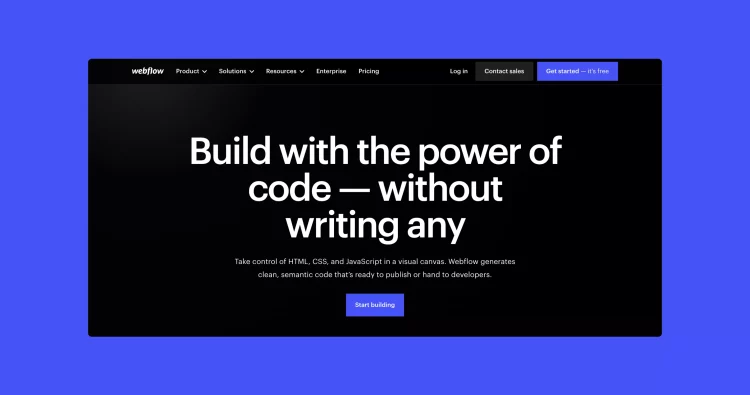
Webflow is our primary recommendation for professional marketing sites, and it is the platform we use most frequently in our client work as a Webflow development agency. It produces clean, semantic code without a plugin dependency stack. Its design flexibility is genuine, not limited to adjusting a theme's options. Its CMS is well-structured for non-technical editors. And the SEO baseline is solid out of the box, with clean page structure, fast load times, and full control over metadata.
The caveats: Webflow has a learning curve that is real for non-designers. Its e-commerce capabilities are limited compared to dedicated platforms. And for projects with complex backend logic, it reaches its ceiling quickly. For a professional marketing site that needs to look distinctive and perform well in search, it is hard to beat at its price point.
Squarespace is appropriate for small businesses, independent professionals, and service providers who need to get online quickly with something that looks good. The templates are polished. The editing experience is accessible. The SEO capabilities are serviceable for local and early-stage businesses.
Its ceiling is also clear. Design flexibility is limited. The developer experience is poor. SEO control is constrained. And the sites tend to look like Squarespace sites, which becomes a problem as a brand matures. Use Squarespace when speed and simplicity are the priority and when you understand it is a starting point.
Framer has emerged as a credible option for design-forward marketing sites, particularly for technology companies and startups. Its visual editor is powerful, and the output is performant. It is less mature as an editorial platform and has fewer integrations than Webflow. Worth evaluating if the team is design-led and the content management requirements are simple.
Best Platforms for E-Commerce
The e-commerce platform decision is different from the marketing site decision, and the two should not be conflated. The right answer depends heavily on catalog size, product complexity, and the degree of custom checkout or inventory logic required.
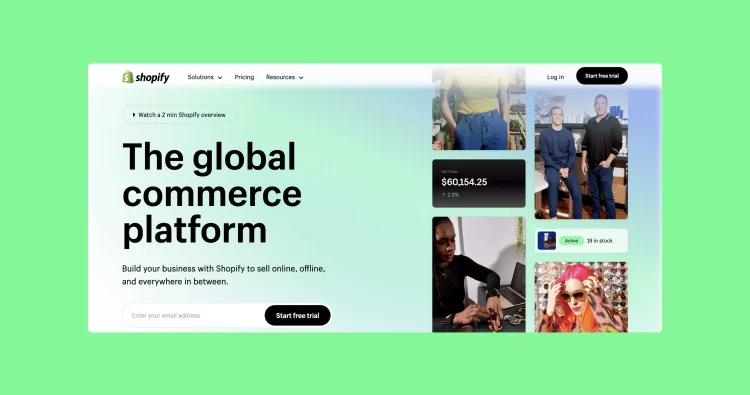
Shopify remains the clearest default recommendation for most e-commerce projects. Its infrastructure is reliable, its ecosystem of payment integrations is unmatched, and its developer tooling has matured significantly. For straightforward product catalogs with standard checkout flows, Shopify gets you to a working store faster than almost any alternative.
Where Shopify strains: complex product customization, non-standard checkout flows, and content-heavy stores where the editorial experience matters as much as the purchase experience. Shopify's page builder has improved but is still not a substitute for a real design system when brand expression matters. Our work on Paya Health, which required a headless Shopify build with a fully custom frontend, is an example of what it takes to combine Shopify's commerce infrastructure with genuine design quality.
WooCommerce (WordPress) is appropriate for businesses that already have a WordPress site and need to add e-commerce capabilities, or for stores where deep content integration is a requirement. Its flexibility is real. So is its maintenance overhead. Keeping WordPress, WooCommerce, and a stack of plugins updated and secure is ongoing work that pure Shopify deployments do not require.
Headless commerce (Shopify or custom backend with a separate frontend framework) is the right answer for high-growth brands where design and performance cannot be compromised by platform constraints. The cost is real: higher development investment upfront, more operational complexity, and a requirement for ongoing technical resources. For brands at the right stage, the investment is worth it.
Best CMS and Headless Platforms for Complex Projects
Not every website is a marketing site or a store. Content publications, data-intensive web applications, multi-audience portals, and platforms with complex editorial workflows require a different category of tool entirely.
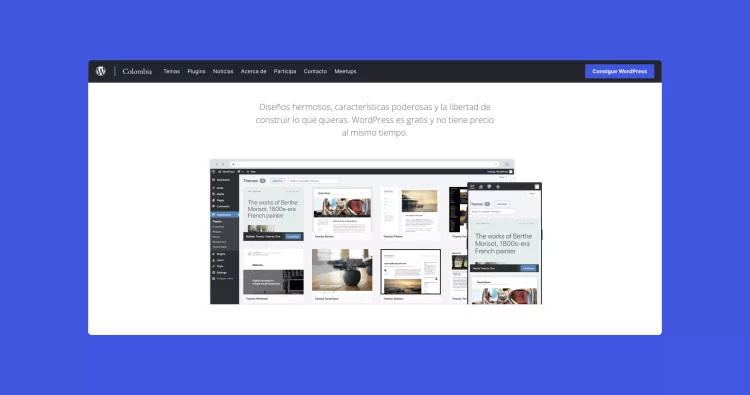
WordPress handles an enormous share of the web's content for a reason. Its editorial experience, while not beautiful, is deeply familiar to most content teams. Its plugin ecosystem covers most requirements. And a well-built WordPress site with a custom theme can perform well and look distinctive.
The challenge in 2025 is that WordPress's security profile requires active management. Plugin conflicts are a real operational risk. And the developer experience has fractured between the legacy editor and the Gutenberg block system in ways that create friction depending on when a site was built. For editorial teams managing a high volume of content, WordPress built thoughtfully remains a strong choice. Our work with Tinta Impresa, where we built a custom block system that gave non-technical editors full visual control over themed editorial editions, is a good example of what WordPress can deliver when built with intention.
Prismic and Contentful are headless CMS options suited to teams that need to separate content management from frontend rendering. They work well with Next.js and other modern frontend frameworks. The editorial experience is cleaner than WordPress. The tradeoff is that they require more development investment to get a production-grade site running and do not have WordPress's breadth of community support.
Sanity has become a credible option for custom content modeling, particularly for studios that build bespoke frontend experiences and need a flexible backend. It requires developer involvement to configure but produces a highly tailored editorial experience.
Domain and Hosting: What You Actually Need
This part of the stack gets less attention than platform choice, but making poor decisions here creates problems that are disproportionately annoying to unwind.
Domain registration: Namecheap and Porkbun are clean options with straightforward pricing and no unwanted upsells. Google Domains was a reliable option that no longer exists as a standalone product. Avoid registering domains through website builder platforms (Wix, Squarespace) when possible. It creates unnecessary coupling and makes migrations harder.
Hosting: For WordPress sites, managed WordPress hosting through providers like Kinsta, WP Engine, or Flywheel provides a meaningful performance and reliability improvement over generic shared hosting. For Webflow and Squarespace sites, hosting is included. For custom builds on frameworks like Next.js, Vercel and Netlify are standard choices that deploy cleanly from version-controlled codebases.
SSL is not optional. Every site needs HTTPS. Every major hosting platform handles this automatically now. If a host does not include SSL or makes it difficult to configure, find a different host.
How We Choose Platforms for Our Clients
The most useful thing we can tell you is how we actually make this decision in practice, across the web design and development services we deliver for clients.
For a professional marketing site where design quality and SEO performance matter, we default to Webflow unless there is a specific reason not to. The combination of design flexibility, performance baseline, and non-technical editing experience is hard to beat for most B2B and direct-to-consumer marketing scopes.
For e-commerce, we default to Shopify for straightforward catalogs and headless Shopify for brands where the design and performance ceiling matters.
For content-heavy publishing with complex editorial requirements, we reach for WordPress built with a custom theme and a carefully considered block system.
For anything with significant custom application logic, we build with Next.js and choose the infrastructure components based on what the application needs.
The honest version of this recommendation: there is no universally best website builder. There is the right tool for the job in front of you. The decision deserves more than thirty minutes on a review site comparison table.
If you are trying to figure out which platform makes sense for your project and want an opinion from a studio that has built on most of them, let's have a conversation.